Best Audio Player for Downloaded SoundCloud MP3s — Top Picks 2026
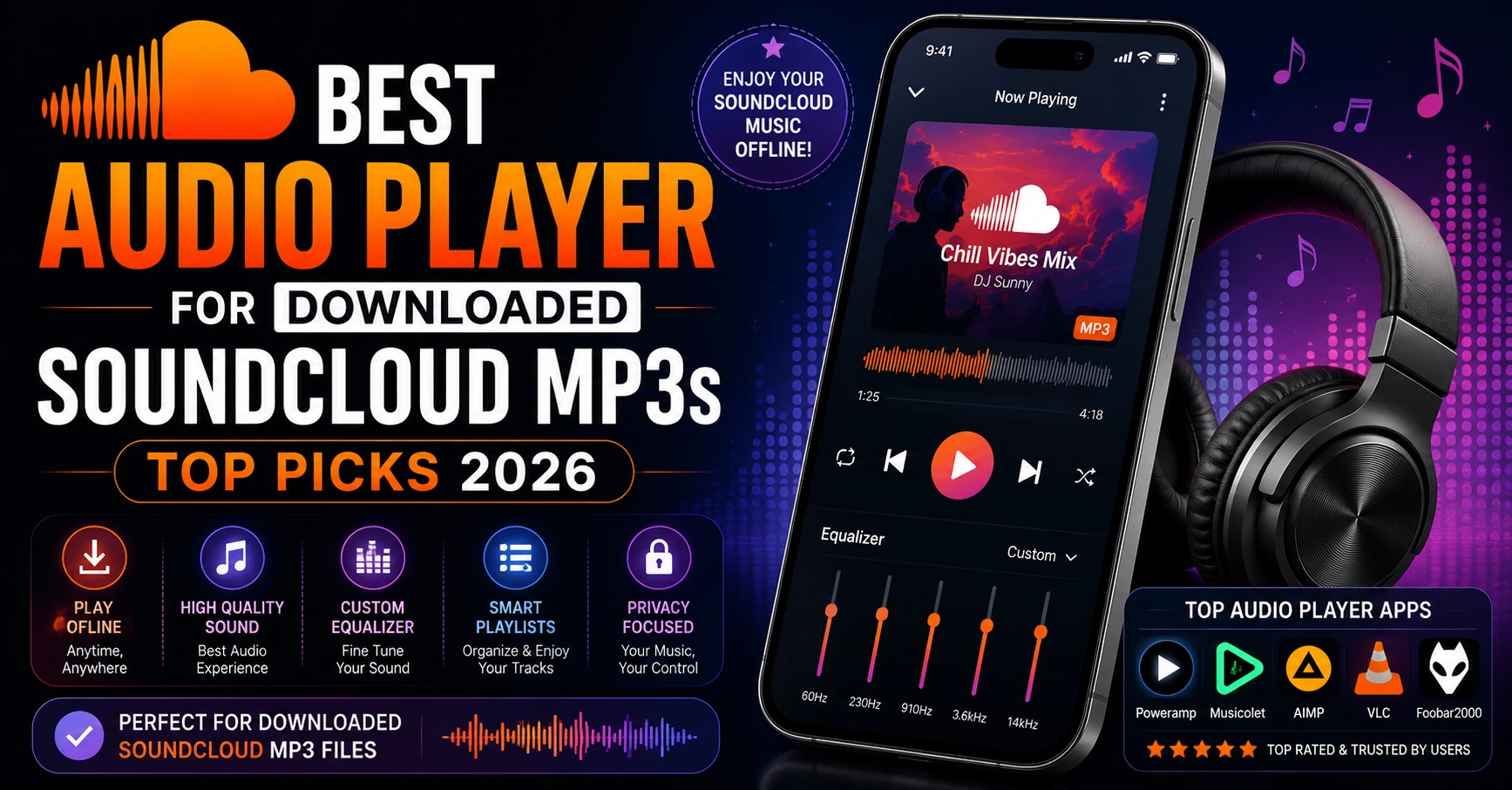
Finding the best audio player for downloaded SoundCloud MP3s is something most people only think about after they have already downloaded their first track. You save a clean 320kbps MP3 using SC Downloader, open it, and then realize your default music app either cannot find the file or plays it without artwork, proper track names, or any playlist controls.
The good news is that excellent audio players exist for every platform in 2026 — free and paid, simple and advanced. This guide covers the best audio player for downloaded SoundCloud MP3s on iPhone, Android, Windows, and Mac — so every track you download sounds and feels exactly the way it should.
Why Your Default Music App May Not Work Well for SoundCloud Downloads
Before getting into recommendations, it helps to understand why default music apps often handle downloaded SoundCloud MP3s poorly.
Apple Music on iPhone does not read MP3 files directly from the Files app without syncing through a Mac first. Google Play Music no longer exists. Samsung Music works well but only on Samsung devices. Spotify and other streaming apps do not play local files at all in 2026.
Downloaded SoundCloud MP3s are local files — they live on your device storage and need a player that reads local audio files directly. The best audio players for downloaded SoundCloud MP3s are specifically designed for this purpose — they scan your device storage, read ID3 metadata embedded by SC Downloader, display artwork and track names correctly, and give you full playback controls.
Best Audio Player for Downloaded SoundCloud MP3s on iPhone
1. VLC for iPhone — Best Free Option
VLC for iPhone is the best free audio player for downloaded SoundCloud MP3s on iPhone in 2026. It is completely free, has no ads, plays every audio format without issues, and reads files directly from your iOS Files app.
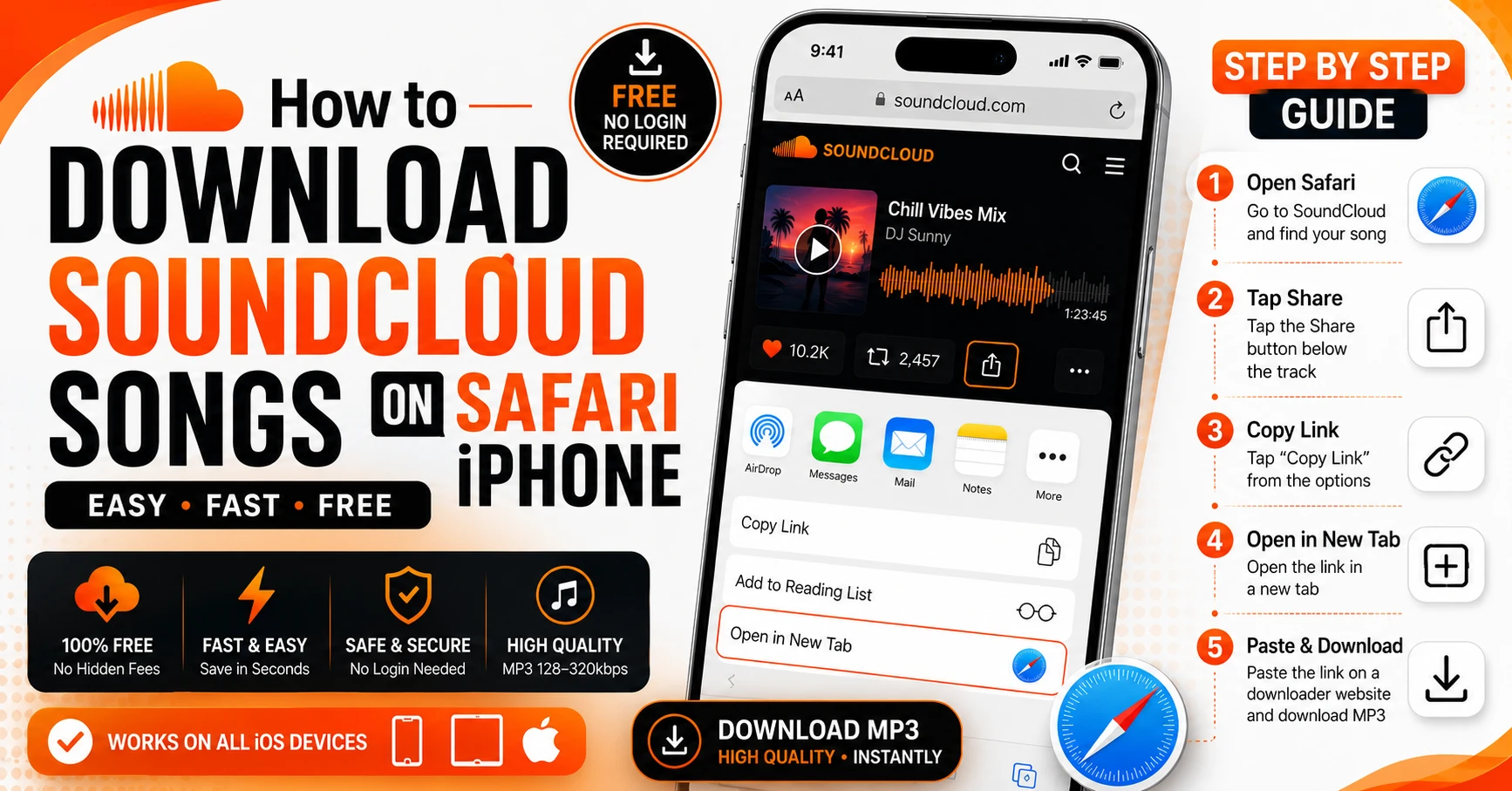
After downloading SoundCloud tracks using SC Downloader on Safari iPhone, open your Files app, tap and hold the MP3 file, tap Share, and select Copy to VLC. The track appears in VLC’s library immediately with full artwork and metadata — exactly as SC Downloader embedded it.
VLC supports background playback with lock screen controls, playlist creation, sleep timer, playback speed control, and equalizer. For most iPhone users downloading SoundCloud MP3s, VLC is all they will ever need.
Pros:
- Completely free, no ads
- Reads files from Files app directly
- Background playback with lock screen controls
- Equalizer and sleep timer built in
- Handles large DJ mix files without issues
Cons:
- Interface is functional but not beautiful
- No iCloud sync
2. Doppler — Best Paid iPhone Music Player
Doppler is a premium music player for iPhone specifically designed for local MP3 file playback. It costs a small one-time fee but delivers the most polished experience for playing downloaded SoundCloud tracks on iPhone.
Doppler reads your ID3 metadata beautifully — artwork fills the full screen, track names and artists display correctly, and albums organize automatically. It integrates directly with the Files app so importing downloaded SoundCloud MP3s is a single tap.
Pros:
- Beautiful interface designed for local music
- Direct Files app integration
- Excellent artwork display
- One-time purchase, no subscription
Cons:
- Paid app — not free
3. Cs Music Player
Cs Music Player is another solid local MP3 player for iPhone that handles downloaded SoundCloud files well. It is free with an optional premium upgrade and reads local files from your device storage with good metadata display and standard playback controls.
Best Audio Player for Downloaded SoundCloud MP3s on Android
1. VLC for Android — Best Free Overall
VLC for Android is the top recommendation for playing downloaded SoundCloud MP3s on Android. Free, no ads, handles every format, and automatically scans your Downloads folder for new MP3 files after each download.
After downloading SoundCloud tracks through SC Downloader on Android, open VLC and pull down to refresh the library. Your new tracks appear with artwork, artist names, and track titles embedded by SC Downloader. Full equalizer, sleep timer, playlist management, and background playback are all included at zero cost.
Pros:
- Free with no ads
- Auto-scans Downloads folder
- Equalizer, sleep timer, playlist support
- Handles long DJ mixes perfectly
- Available on all Android devices
Cons:
- UI design is dated compared to paid alternatives
2. Musicolet — Best Lightweight Android Player
Musicolet is a completely free, ad-free music player for Android that many users consider the best local MP3 player available. It is lightweight, fast, and handles large local libraries beautifully.
For downloaded SoundCloud MP3s, Musicolet reads SC Downloader’s embedded ID3 tags perfectly — organizing tracks by artist, album, and genre automatically. Multiple queue support lets you manage complex listening sessions across different downloaded playlists.
Pros:
- 100% free, no ads, no internet required
- Multiple queue support
- Fast and lightweight
- Excellent library organization
Cons:
- No equalizer in free version
3. Poweramp — Best Premium Android Player
Poweramp is the premium choice for serious audiophiles playing downloaded SoundCloud MP3s on Android. A free trial is available and the full version costs a small one-time fee.
Poweramp offers a 10-band parametric equalizer, stereo expansion, bass and treble adjustment, ReplayGain support, and the most advanced audio processing of any Android music player. For users downloading SoundCloud tracks in genuine 320kbps quality through SC Downloader, Poweramp extracts every bit of audio detail from those high quality files on quality headphones.
Pros:
- Most advanced audio processing on Android
- 10-band parametric equalizer
- ReplayGain support
- Beautiful customizable interface
Cons:
- Paid after trial period
4. Samsung Music
For Samsung device users, Samsung Music is pre-installed and reads downloaded SoundCloud MP3s from your Downloads folder automatically. It integrates with Samsung’s Dolby Atmos and other audio enhancements. Simple, clean, and requires zero setup.
Best Audio Player for Downloaded SoundCloud MP3s on Windows PC
1. VLC Media Player — Best Free Windows Player
VLC Media Player for Windows is the most reliable free audio player for downloaded SoundCloud MP3s on PC. Install it once and it handles every audio format indefinitely — no codec packs, no updates required for basic playback.
VLC reads SC Downloader’s embedded ID3 tags correctly, displays artwork, and organizes your downloaded SoundCloud library by artist and album in its media library. For playing long DJ mixes downloaded using SC Downloader’s playlist downloader, VLC’s scrubber makes navigation through long files easy.
Pros:
- Completely free
- Handles every audio format
- Good library management
- Reliable for large mix files
Cons:
- Not the most visually polished player
2. foobar2000 — Best for Audiophiles on Windows
foobar2000 is the definitive audiophile music player for Windows and the best choice for users who download SoundCloud tracks in 320kbps quality and want to hear every detail through quality headphones or speakers.
foobar2000 is free, extremely lightweight, and fully customizable through an extensive plugin ecosystem. It supports ReplayGain for consistent volume across your downloaded SoundCloud library, advanced DSP processing, and direct bit-perfect audio output to external DACs and headphone amplifiers.
For DJs and producers who convert SoundCloud tracks to MP3 on PC and use them as reference tracks during mixing, foobar2000 paired with a quality DAC is the professional standard.
Pros:
- Free and extremely lightweight
- Bit-perfect audio output
- ReplayGain support
- Advanced DSP and plugin ecosystem
- Highly customizable interface
Cons:
- Default interface looks dated — requires configuration
3. Winamp 2026
Winamp has been relaunched and updated for 2026. For Windows users who want a dedicated, lightweight music player for downloaded SoundCloud MP3s with a simple interface, Winamp remains a solid free choice with built-in equalizer and playlist management.
4. MusicBee — Best All-Around Windows Music Manager
MusicBee is a free Windows music player and library manager that is particularly well suited for managing large downloaded SoundCloud libraries. It reads SC Downloader’s embedded ID3 tags, auto-organizes your library, supports SoundCloud-sized collections without slowdown, and offers a clean modern interface.
MusicBee also includes automatic artwork downloading for any tracks missing cover art, podcast management, and party shuffle features that work well for DJ mix collections.
Pros:
- Free with excellent library management
- Auto-downloads missing artwork
- Fast even with large libraries
- Modern clean interface
Cons:
- Windows only
Best Audio Player for Downloaded SoundCloud MP3s on Mac
1. VLC for Mac — Best Free Option
VLC for Mac handles downloaded SoundCloud MP3s perfectly on macOS. Free, reliable, and reads all ID3 metadata embedded by SC Downloader. The Mac version integrates with macOS media controls so you can control playback from the Touch Bar or keyboard media keys.
2. Apple Music — Best Native Mac Experience
Apple Music on Mac is the best native option for playing downloaded SoundCloud MP3s if you want full macOS integration. Import your downloaded files through File then Import in Apple Music and they appear in your library with artwork and metadata exactly as SC Downloader embedded them.
Apple Music on Mac syncs your imported local files across all your Apple devices via iCloud Music Library — making your downloaded SoundCloud tracks available on your iPhone without re-downloading. This is the most seamless workflow for Apple ecosystem users.
3. Vox Music Player for Mac
Vox is a premium Mac music player with a beautiful minimal interface that handles local MP3 files and lossless formats elegantly. For Mac users with large downloaded SoundCloud libraries who want a dedicated music player experience beyond Apple Music, Vox is worth considering.
Comparison Table — Best Audio Players for Downloaded SoundCloud MP3s
| Player | Platform | Price | ID3 Tags | Equalizer | Best For |
|---|---|---|---|---|---|
| VLC | All | Free | ✅ | ✅ | Everyone |
| Doppler | iPhone | Paid | ✅ | ❌ | iPhone users |
| Musicolet | Android | Free | ✅ | Limited | Android users |
| Poweramp | Android | Paid | ✅ | ✅ Advanced | Audiophiles |
| foobar2000 | Windows | Free | ✅ | ✅ Advanced | Audiophiles |
| MusicBee | Windows | Free | ✅ | ✅ | Large libraries |
| Apple Music | Mac/iPhone | Free | ✅ | ❌ | Apple users |
| Samsung Music | Android | Free | ✅ | ✅ | Samsung users |
How to Get the Best Sound From Downloaded SoundCloud MP3s
The best audio player for downloaded SoundCloud MP3s is only half the equation. Here are tips for getting the best possible sound from your downloads.
Always Download in 320kbps The quality of your playback is limited by the quality of the file. Always choose 320kbps when downloading through SC Downloader for tracks you plan to listen to seriously. Read our guide on real vs fake 320kbps quality to understand why source quality matters.
Use Quality Headphones or Speakers A 320kbps MP3 played through cheap earbuds sounds identical to 128kbps to most listeners. The quality difference becomes meaningful on quality headphones — Sony WH-1000XM5, Sennheiser HD 600, or similar — or quality bookshelf speakers.
Enable ReplayGain Downloaded SoundCloud tracks vary significantly in volume levels depending on how each artist mastered their music. Players like foobar2000 and VLC support ReplayGain — a standard that normalizes volume across your entire library so you are not constantly adjusting volume between tracks.
Use an Equalizer Thoughtfully Most audio players include an equalizer. For SoundCloud electronic music and DJ sets, a gentle boost around 60-80Hz for bass and a slight lift around 10kHz for air adds energy without distorting. Avoid boosting multiple bands simultaneously — less is more with EQ.
How to Import Downloaded SoundCloud MP3s Into Your Music Player
The import process varies by platform but SC Downloader makes it simple because every downloaded file includes properly embedded ID3 metadata.
On iPhone with VLC: Open Files app, tap and hold the MP3, tap Share, select Copy to VLC. Done.
On Android with VLC or Musicolet: Open the music player and pull down to refresh the library. Files in your Downloads folder appear automatically.
On Windows with foobar2000 or MusicBee: Drag and drop MP3 files from your Downloads folder into the player window. Or use File then Add Folder to import your entire SoundCloud downloads folder at once.
On Mac with Apple Music: Go to File then Import in Apple Music. Navigate to your Downloads folder and select files. They import with all artwork and metadata intact.
Frequently Asked Questions
Final Thoughts
The best audio player for downloaded SoundCloud MP3s depends on your platform and how seriously you listen. For most users on any platform, VLC is the answer — free, reliable, and handles everything SC Downloader produces perfectly.
For audiophiles on Windows, foobar2000 extracts every detail from your 320kbps downloads. For iPhone users who want a beautiful interface, Doppler is worth the purchase. For Android users building large libraries, Musicolet keeps everything organized without ads or cost.
Start by downloading your favorite SoundCloud tracks at sc-downloader.com — or use our playlist downloader to save entire albums and DJ sets at once. Then pick the player that fits your platform and listening style from this guide, and enjoy