Best SoundCloud Downloader Sites That Actually Work in 2026
Let us be completely honest with you. Most SoundCloud downloader sites you find online in 2026 are either broken, covered in fake download buttons, or deliver low quality audio files with hidden watermarks. We spent time testing every major tool so you do not have to waste yours.
In this guide we ranked the best SoundCloud downloader sites that actually work in 2026 — based on download speed, audio quality, playlist support, mobile compatibility, and overall reliability.
What Makes a SoundCloud Downloader Actually Good
Before we get into the rankings, here is exactly what we tested and what separates a genuinely useful downloader from a broken or misleading one.
Audio Quality — Does it deliver real 320kbps or fake upscaled files that just inflate the file size without improving sound.
Playlist Support — Can it handle full SoundCloud playlists and albums without crashing or timing out.
Mobile Compatibility — Does it work on iPhone Safari and Android Chrome without requiring an app install.
Speed — How long does it take to resolve a track and deliver the download.
Ads and Popups — How many fake download buttons and intrusive popups does the site have.
Reliability — Does it work consistently or throw errors half the time.
With those criteria in mind, here are the best SoundCloud downloader sites that actually work in 2026.
1. SC Downloader — Best Overall SoundCloud Downloader
Website: sc-downloader.com
SC Downloader ranks first for a simple reason — it consistently delivers what it promises. Paste a SoundCloud link, get a clean MP3, done. No fake download buttons, no misleading quality claims, and no registration wall standing between you and your music.
What Makes It Stand Out
SC Downloader pulls raw HLS audio streams directly from SoundCloud CDN servers instead of re-recording audio. This means every file is clean, full-length, and completely free of watermarks or audio artifacts. The tool also offers genuine 320kbps MP3 quality transcoded from the highest available source stream — not inflated metadata on a low quality file.
Full SoundCloud playlist downloading is supported without crashing, which is rare among free tools. The playlist resolver works in batched API requests to avoid SoundCloud rate limits, so even 100 track playlists load cleanly.
Platform Support
Works on all devices. On iPhone, downloads go directly to the iOS Files app through Safari. On Android, files save to the Downloads folder through Chrome or Firefox. No app installation required on any platform.
Pros
- True 320kbps quality with no fake upscaling
- Full playlist and album support
- Zero watermarks on all files
- Auto ID3 tags and cover artwork embedded
- No registration or account required
- Unlimited free downloads
- Works on iPhone, Android, PC, and Mac
Cons
- DRM protected Go+ tracks cannot be downloaded (true for all tools)
Verdict: Best free SoundCloud downloader available in 2026. Start here before trying anything else.
2. Lucida.to — Best for FLAC and Lossless Quality
Website: lucida.to
Lucida is one of the few tools that supports FLAC downloads in addition to MP3. If you are a serious audiophile who wants lossless quality files, Lucida is worth checking out. It supports multiple platforms beyond SoundCloud including Spotify and Deezer.
Pros
- FLAC support for lossless quality
- Multi-platform support
- Clean interface with minimal ads
Cons
- Slower than SC Downloader
- Playlist support is inconsistent
- Occasionally goes offline for maintenance periods
- No automatic ID3 metadata embedding
Verdict: Good secondary option if you specifically need FLAC quality. For standard MP3 use, SC Downloader is faster and more reliable.
3. KlickAud — Decent But Inconsistent
Website: klickaud.co
KlickAud was once one of the more popular SoundCloud downloaders but has become increasingly unreliable in 2026. It works for basic single track downloads most of the time but fails frequently on playlist URLs and throws errors on longer tracks.
Pros
- Simple interface
- Supports both 128kbps and 320kbps options
- No registration required
Cons
- Frequently broken on playlist downloads
- Slow resolution times on longer tracks
- Multiple intrusive popup ads
- Quality claims are not always accurate
Verdict: Use it as a backup if your primary tool is down. Not reliable enough for regular use.
4. DownloadSoundCloud.io — Basic But Functional
Website: downloadsoundcloud.io
This tool handles single track downloads reliably and has a clean enough interface. However it lacks playlist support entirely and caps downloads at 128kbps quality. Fine for casual users who just need a quick download occasionally.
Pros
- Fast single track downloads
- Clean interface with minimal ads
- Works on mobile browsers
Cons
- No playlist or album support
- Maximum 128kbps quality only
- No ID3 metadata or artwork in downloaded files
- No batch download capability
Verdict: Too limited for serious use. If you need playlist support or 320kbps quality, use SC Downloader instead.
5. SoundCloud Mate — Works But Ad Heavy
Website: soundcloudmate.com
SoundCloud Mate works but the user experience is poor due to the number of ads and fake download buttons scattered across the page. First time users often click the wrong button and end up on unrelated pages. Once you figure out the correct button it does deliver working MP3 files.
Pros
- Works consistently for single tracks
- Supports multiple audio quality options
Cons
- Extremely ad heavy interface
- Multiple fake download buttons
- Poor mobile experience
- No playlist support
- No cover art or metadata embedding
Verdict: Works but the experience is frustrating. Not recommended when better alternatives exist.
Side by Side Comparison Table
| Feature | SC Downloader | Lucida | KlickAud | DownloadSoundCloud | SoundCloud Mate |
|---|---|---|---|---|---|
| 320kbps Quality | Real | Real | Inconsistent | No | Yes |
| FLAC Support | No | Yes | No | No | No |
| Playlist Download | Yes | Partial | Broken | No | No |
| iPhone Support | Yes | Yes | Partial | Yes | No |
| Android Support | Yes | Yes | Yes | Yes | Partial |
| ID3 Tags & Art | Yes | No | No | No | No |
| Ads Level | Low | Low | High | Medium | Very High |
| Registration | None | None | None | None | None |
| Speed | Fast | Medium | Slow | Fast | Medium |
| Reliability | High | Medium | Low | Medium | Medium |
Which SoundCloud Downloader Should You Use
The answer depends on what you need.
If you want the best all-around experience with true 320kbps quality, full playlist support, automatic ID3 tags, and reliable performance on all devices, use SC Downloader. It outperforms every other free tool tested in 2026 across every category that matters.
If you specifically need lossless FLAC quality and do not mind occasional downtime, Lucida is worth bookmarking as a secondary option.
For everything else, the other tools in this list have too many limitations or reliability issues to recommend over SC Downloader for regular use.
How to Get the Best Results From Any SoundCloud Downloader
Regardless of which tool you use, these tips will help you get better results every time.
Always make sure the track is publicly available before trying to download it. Check by opening the link in an incognito browser window. If it does not play there, no downloader can fetch it.
Use the full soundcloud.com URL rather than shortened on.soundcloud.com mobile links when possible. If you only have a short link, SC Downloader handles those automatically.
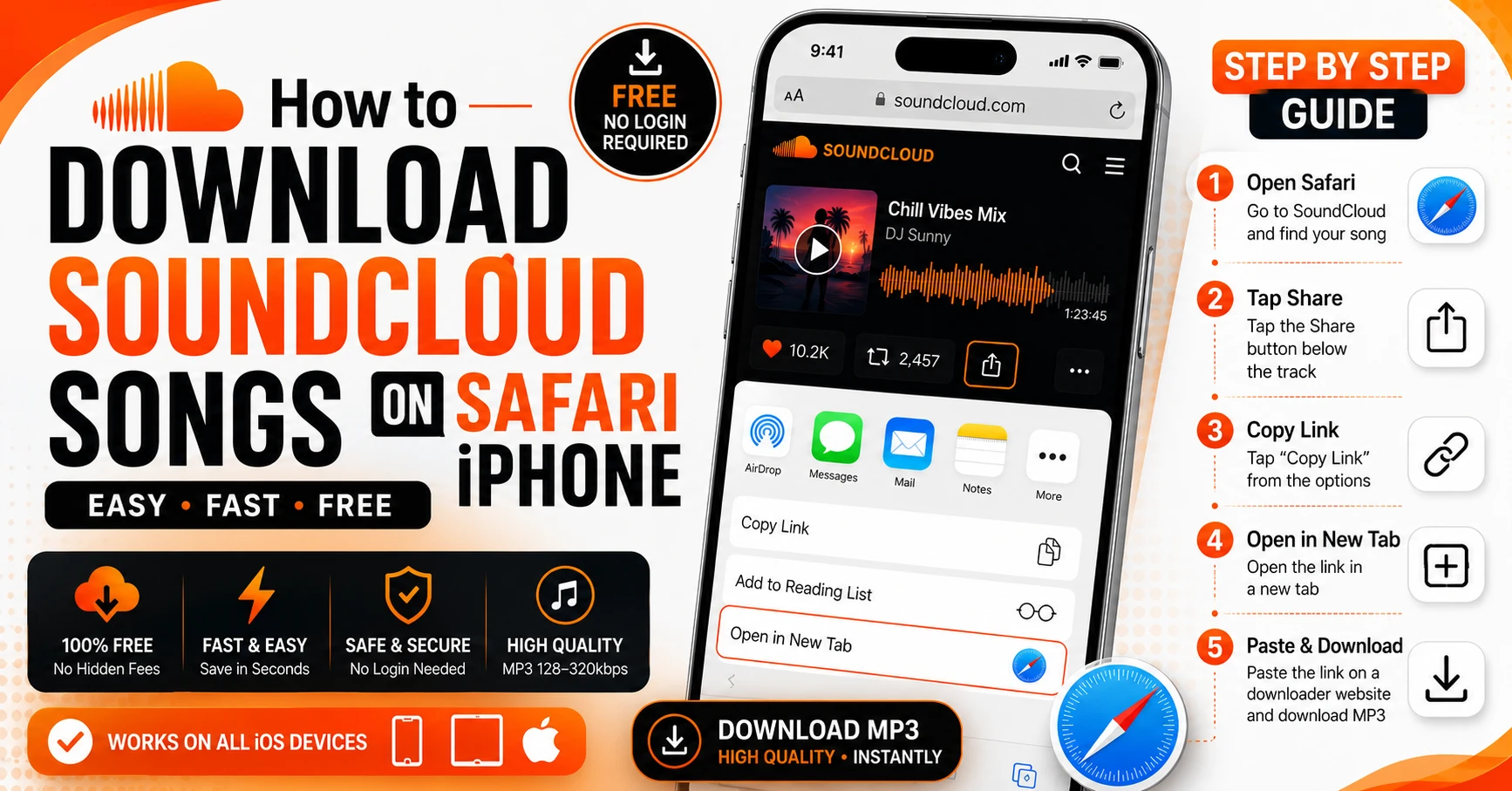
On iPhone always use Safari for downloads. It is the only iOS browser that saves MP3 files directly to your Files app. For a complete step by step guide read our article on how to download SoundCloud songs on iPhone.
For playlist downloads, use SC Downloader’s playlist tool specifically. Paste the full playlist URL and let it resolve the complete tracklist before starting downloads.
Why Most SoundCloud Downloaders Stop Working
You may have noticed that many tools that worked a year ago are now broken. This happens for a few reasons.
SoundCloud periodically updates its API and CDN infrastructure. Tools that rely on hardcoded endpoints stop working when SoundCloud changes those endpoints. Tools that actively maintain their backend — like SC Downloader — update their resolvers to stay compatible.
Some tools also get shut down due to DMCA complaints or hosting provider restrictions. This is why it is worth bookmarking a reliable tool rather than searching from scratch every time you need a download.
Frequently Asked Questions
Final Thoughts
Finding a SoundCloud downloader that actually works in 2026 is harder than it should be. Most tools are broken, ad-heavy, or deliver low quality files that do not match their claims.
After testing every major option, SC Downloader is the clear winner for everyday use. It delivers real 320kbps quality, handles full playlist downloads without crashing, works on every device, and requires no registration or account.
Whether you need to download a single track on your iPhone, save a full SoundCloud playlist, or get the highest possible 320kbps audio quality, SC Downloader covers all of it for free.
Bookmark it now so you always have a working downloader when you need one.