How to Download SoundCloud Mix to MP3 Free - Complete Guide 2026
DJ mixes on SoundCloud are some of the most valuable audio content on the internet. Whether it is a two hour underground techno set from Berlin, a rare hip hop compilation uploaded by an independent label, or a live recording from a festival that will never be officially released anywhere else — SoundCloud is where this content lives. And for millions of listeners, losing access to a mix because of poor signal or a dead phone battery is genuinely painful.
The problem is that SoundCloud does not let free users download mixes natively. The platform locks offline access behind Go+ and even then many mixes are not officially downloadable because the uploader did not enable the download button. This leaves most listeners stuck — either paying for a subscription or accepting that their favorite mixes are streaming-only.
But there is a straightforward solution that works in 2026 for any public SoundCloud mix, DJ set, or compilation. This guide covers everything you need to know about downloading SoundCloud mixes to MP3 — completely free, on any device.
What Makes Downloading a SoundCloud Mix Different From a Regular Track
Before we get into the how-to, it is worth understanding why mixes are slightly different from regular SoundCloud tracks.
A standard SoundCloud track is typically three to six minutes long. A DJ mix, live set, or compilation can run anywhere from thirty minutes to six hours. This longer duration creates a larger file — a two hour mix at 320kbps is approximately 270 megabytes. At 128kbps the same mix is around 110 megabytes.
This file size difference means downloads take longer and require more stable internet connections. It also means storage space on your device matters more when saving mixes versus individual tracks. Beyond that, the actual download process is identical to any other SoundCloud track — the tool handles the length automatically.
Most downloader tools also struggle with long form audio because they time out during the HLS segment stitching process for large files. SC Downloader is built to handle extended audio without timeouts, which is why it works reliably on full DJ sets that other tools fail on.
Step by Step Guide — How to Download a SoundCloud Mix to MP3
Step 1 — Find the Mix You Want to Download
Open SoundCloud in your browser or the SoundCloud app and navigate to the mix you want. This could be a DJ set, a live recording, a podcast episode, a mixtape, a compilation album, or any other long form audio content uploaded as a single track.
Before copying the link, make sure the mix is publicly accessible. Open it in an incognito or private browser window — if it plays without you being logged in, it is a public mix and can be downloaded. If it requires login or shows a SoundCloud Go+ prompt, it is protected content that cannot be downloaded externally.
Step 2 — Copy the Mix URL
On desktop, copy the URL directly from your browser address bar. On the SoundCloud mobile app, tap the three dot menu on the mix page and select Share. From the share sheet, tap Copy Link.
Both full soundcloud.com links and short on.soundcloud.com mobile links work with SC Downloader. If you have a short link, SC Downloader follows the redirect automatically and resolves it to the full URL before processing.
Step 3 — Visit SC Downloader
Open your browser and go to sc-downloader.com. The input field is displayed prominently at the top of the homepage. This is where you paste your mix link.
Step 4 — Paste the Link and Start Processing
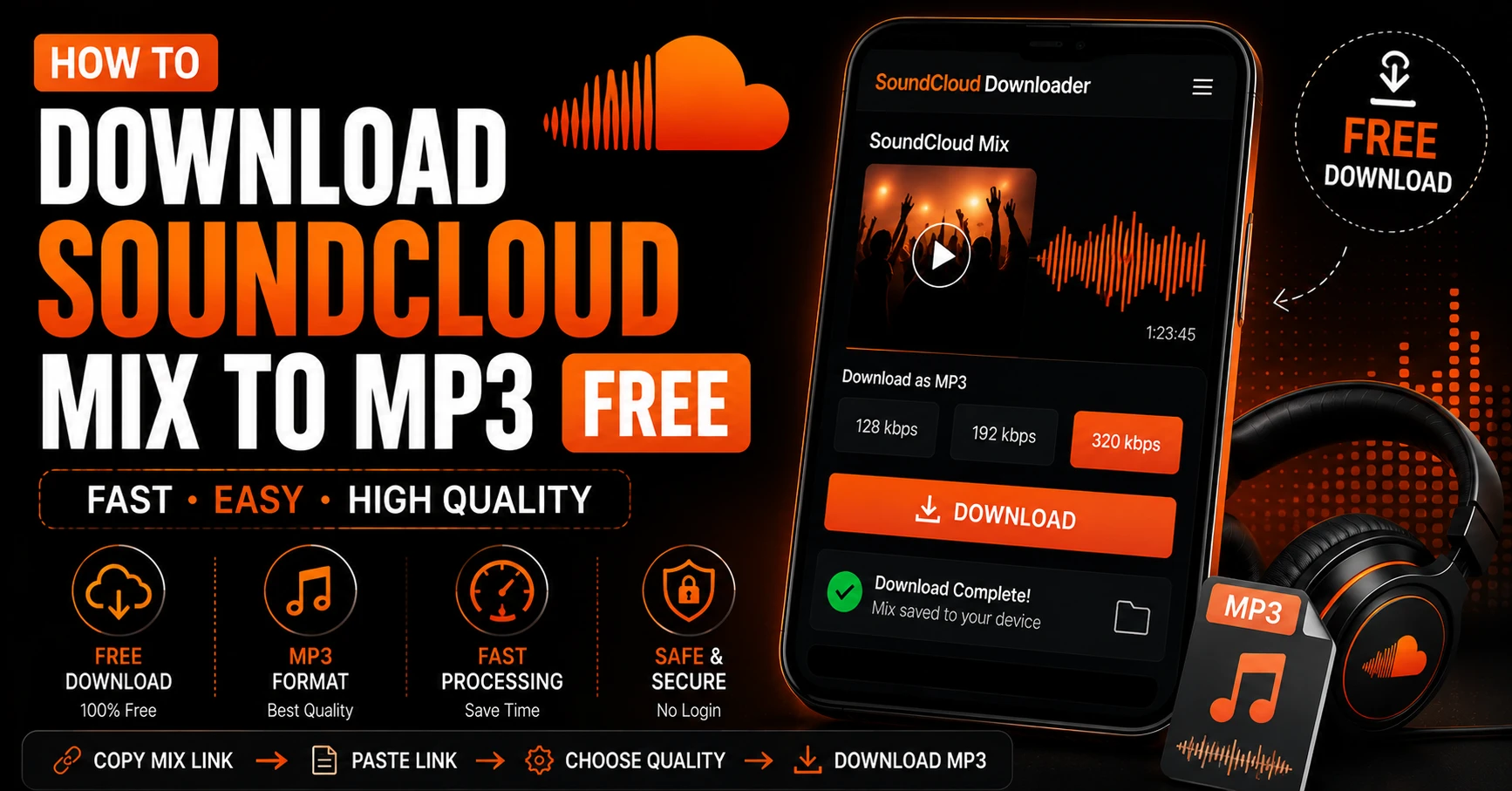
Paste the SoundCloud mix URL into the input field and tap or click Download. SC Downloader begins querying SoundCloud’s backend to locate the audio stream configuration for the mix. For long form audio, this resolution step may take slightly longer than for short tracks — typically five to fifteen seconds for mixes over an hour in length.
Step 5 — Choose Your Audio Quality
Once the mix is resolved you will see the quality options. For DJ mixes and live sets we strongly recommend choosing 320kbps MP3 quality. Mixes are often listened to on quality sound systems — car speakers, home stereos, DJ monitors — where the difference between 128kbps and 320kbps becomes clearly audible. The larger file size is worth it for content you will listen to repeatedly.
If storage space is a concern or you only have mobile data available for the download, 128kbps is still entirely listenable and will save you significant storage, especially for very long sets.
Step 6 — Download and Save the File
Tap Download MP3 File. The download will begin immediately. For a two hour mix at 320kbps, expect the download to take between one and five minutes depending on your connection speed. On mobile, keep your screen on and browser active during the download to prevent it being interrupted by your device’s sleep or battery saver functions.
Once complete, the file saves to your device’s Downloads folder on Android, your iOS Files app on iPhone, or your browser’s default Downloads folder on PC and Mac.
How to Download SoundCloud Mixes on Android
Android is the most straightforward platform for downloading long SoundCloud mixes. Open Chrome, Firefox, or Samsung Internet on your Android device, visit sc-downloader.com, paste your mix URL, select your quality, and download.
The file saves directly to your Downloads folder. For a two hour mix you will want to make sure your device has at least 300 megabytes of free storage before starting the download. Check your available storage in Settings before downloading particularly long sets.
Once downloaded, open the mix in VLC for Android for the best listening experience. VLC handles large MP3 files effortlessly, supports chapter navigation if the mix has embedded chapter markers, and plays in the background while you use other apps.
For a complete Android download guide covering all the details, read our full article on how to download SoundCloud songs on Android.
How to Download SoundCloud Mixes on iPhone
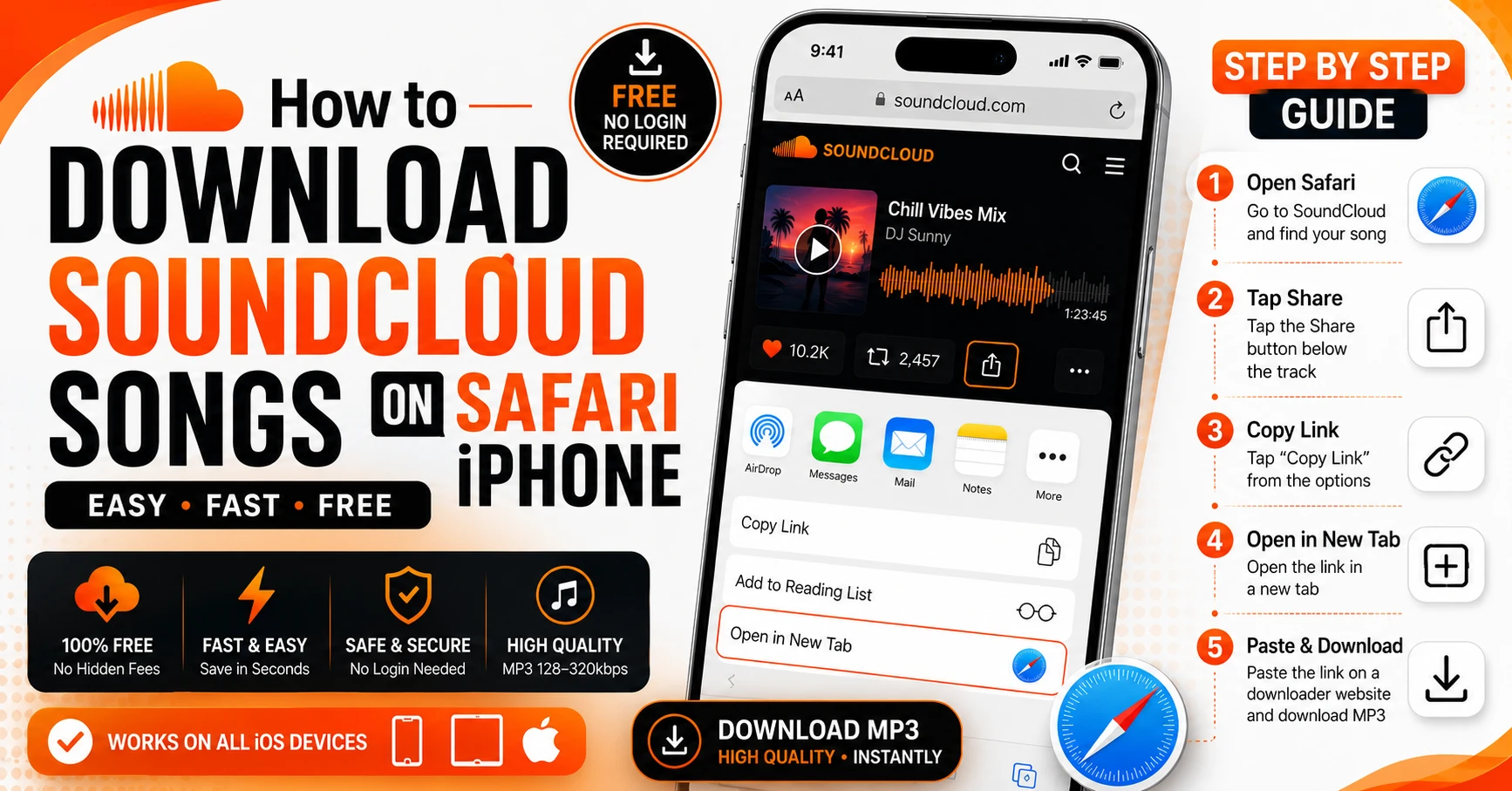
Downloading mixes on iPhone requires Safari specifically. Open Safari — not Chrome or Firefox — on your iPhone, visit sc-downloader.com, paste the mix URL, choose your quality, and tap Download MP3.
Safari will show a download notification at the top of the screen. Tap it to monitor the download progress. For long mixes, keep Safari open and your screen active until the download completes. If your iPhone goes to sleep during a large download, it may pause or interrupt the process.
Once complete, the mix file saves to your iOS Files app under the Downloads folder. Open the Files app, navigate to On My iPhone then Downloads, and tap the file to play it. For better playback controls with large mixes, open the file in VLC for iPhone instead — VLC offers a scrubber that makes navigating to specific points in a long mix much easier than the basic Files app player.
For the complete iPhone download guide, read our detailed article on how to download SoundCloud songs on iPhone.
How to Download SoundCloud Mixes on PC and Mac
On desktop computers, downloading SoundCloud mixes is the simplest experience of all. Open any browser — Chrome, Firefox, Safari, or Edge — visit sc-downloader.com, paste your mix link, and click Download MP3.
The file saves to your browser’s default Downloads folder. On Windows this is typically C:\Users\YourName\Downloads. On Mac it is the Downloads folder in Finder. From there you can move the file to any location — your Music folder, an external drive, or a dedicated DJ library folder.
For DJs managing large libraries of downloaded mixes, organizing files by genre, date, or artist in a dedicated folder structure from the start saves significant time later. Tools like Rekordbox, Serato, and Traktor can import local MP3 files directly and analyze them for BPM, key, and waveform data.
What Types of SoundCloud Mixes Can Be Downloaded
SC Downloader works with any long form audio content uploaded as a single track on SoundCloud. Here are the specific types of mixes and sets that can be downloaded.
DJ Mixes and Live Sets Full continuous DJ mixes ranging from thirty minutes to several hours. These are the most common type of long form SoundCloud audio and SC Downloader handles them reliably regardless of length.
Festival and Club Recordings Live recordings from festivals, clubs, and events uploaded by artists, labels, or attendees. These are often only available on SoundCloud and downloading them preserves recordings that may disappear if the uploader removes them.
Mixtapes and Compilations Multi-track compilations uploaded as a single continuous audio file. These are extremely common in hip hop, grime, afrobeats, and electronic music communities.
Radio Show Episodes Weekly or monthly radio show episodes uploaded as complete episodes. Many radio shows from stations like XLR8R, Rinse FM, and NTS Radio archive their episodes on SoundCloud.
Podcast Episodes Full podcast episodes uploaded to SoundCloud by creators who use the platform as their podcast host. These download and play like any other audio file.
Drum and Bass, Techno, and Electronic Music Sets Long continuous sets from electronic music DJs that are often only available on SoundCloud and not on any official music platform.
Storage Planning for Large Mix Downloads
Unlike regular tracks, DJ mixes and long sets require serious storage planning. Here is a quick reference guide for estimating file sizes before you download.
A one hour mix at 128kbps is approximately 55 megabytes. At 320kbps the same mix is approximately 138 megabytes.
A two hour mix at 128kbps is approximately 110 megabytes. At 320kbps it is approximately 275 megabytes.
A four hour mix at 128kbps is approximately 220 megabytes. At 320kbps it is approximately 550 megabytes.
If you are building a large collection of downloaded DJ sets, consider using a microSD card if your Android device supports expandable storage. Set your browser’s download location to the SD card and save your mixes there to preserve internal storage.
For iPhone users, iCloud Drive can be used to store downloaded mixes after the initial save to the Files app — move large files to iCloud to free up local storage while keeping them accessible when you have an internet connection.
Audio Quality Considerations for DJ Mixes
Audio quality matters more for DJ mixes than for standard tracks in several important ways. If you plan to listen to a downloaded mix on quality equipment — studio headphones, a home hi-fi system, a car audio setup with a subwoofer, or DJ monitors — the difference between 128kbps and 320kbps is clearly audible.
At 128kbps, bass frequencies in electronic music can sound muddy and indistinct. High frequency elements like hi-hats and synth overtones lose clarity. In complex passages where many elements are layered — a common feature of DJ mixes — individual sounds can blend together into an indistinct wall instead of remaining clear and separated.
At 320kbps all of these elements retain their clarity. Bass is tight and defined. High frequencies shimmer. Complex layered passages remain intelligible. For music that is specifically designed to be experienced on quality sound systems — techno, house, drum and bass, jazz — 320kbps is the meaningful minimum.
To fully understand the difference between genuine and fake 320kbps quality, read our detailed breakdown of real vs fake 320kbps SoundCloud downloads.
How to Save SoundCloud Mixes for Offline Listening
Once your mix is downloaded as an MP3, it is available for offline listening immediately — no internet, no subscription, no expiry. But there are a few additional steps that make the offline listening experience significantly better for long form content.
Add Chapter Markers for Navigation Long mixes without chapter markers are difficult to navigate — scrubbing through two hours of audio to find a specific point is frustrating. Some mix uploaders include tracklists in the SoundCloud description. You can use free tools like Kid3 or Mp3tag on desktop to manually add chapter markers to your downloaded mix file, making it easier to jump to specific tracks or timestamps.
Use a Player With Sleep Timer If you listen to mixes while falling asleep, use a player with a built-in sleep timer. VLC on both Android and iPhone supports sleep timers. Set it to stop playback after thirty or sixty minutes so your mix does not play all night.
Download Sets Before Travel The best time to download mixes is before you travel — before boarding a flight, before a long train journey, or before driving into an area with poor signal. SC Downloader downloads over any internet connection, so download your mixes while on wifi to avoid mobile data usage.
For more offline listening strategies, read our complete guide on how to save SoundCloud songs for offline listening.
Downloading Multiple SoundCloud Mixes at Once
If you want to download several mixes from the same artist or a SoundCloud playlist of sets, the process is straightforward. For individual mixes uploaded as separate tracks you will need to download each one separately by copying and pasting each track URL.
However if an artist has organized their mixes into a SoundCloud playlist or set collection, you can use SC Downloader’s playlist downloader to resolve the full list at once. Paste the playlist URL and SC Downloader displays every mix in the collection with its title, duration, and artwork. You can then download each mix individually while running multiple concurrent downloads to save time.
Common Problems When Downloading Long SoundCloud Mixes
Download Fails Halfway Through a Large File This usually indicates an unstable internet connection. Switch to a stronger wifi connection and try again. Avoid downloading very large mixes on mobile data unless you have a strong 4G or 5G signal. Keep your browser active and screen on during large downloads.
Mix Resolves But Download Button Does Not Appear Try refreshing the SC Downloader page and pasting the URL again. If the problem persists, clear your browser cache in settings and retry. This occasionally happens due to a temporary CDN issue that resolves within a few minutes.
Downloaded Mix File Will Not Play Open the file in VLC rather than your default media player. VLC handles all MP3 files correctly regardless of encoding. If VLC cannot play it either, the download was incomplete — delete the file and download again on a stable connection.
Mix Sound Quality Is Lower Than Expected The original mix on SoundCloud may have been uploaded at a low bitrate by the DJ or promoter. No downloader can recover quality that was not in the original upload. Check our guide on SoundCloud 320kbps real vs fake quality to understand source quality limitations.
Frequently Asked Questions
Final Thoughts
SoundCloud is the definitive home for DJ mixes, live sets, and rare audio content that simply does not exist anywhere else. Downloading those mixes as permanent MP3 files means you never lose access to content you love — regardless of internet connection, subscription status, or whether the uploader eventually removes the mix from SoundCloud.
SC Downloader makes the process simple, free, and reliable for mixes of any length. Paste your mix URL, choose 320kbps for the best quality, and download. Your mix is saved permanently as a clean MP3 file with full metadata embedded — ready to play offline on any device, in any player, forever.
Use our playlist downloader to save entire collections of mixes from your favorite DJs at once. And if you want to build the ultimate offline music library, read our complete guide on saving SoundCloud songs for offline listening for advanced tips and strategies.
The best mix you have ever heard is probably on SoundCloud right now. Save it before it disappears.